The things your
right hand misses

Switch from Windows and it’s the small stuff that gets you.

Free for 60 days, no account needed. Requires macOS 26 or later.

You right-click to make a new text file. There’s no such option.

You select a file and press ⌘X to cut it. The Finder just ignores you.

You scroll with the wheel. The page lurches, a line at a time.

At Hand puts all of it back.

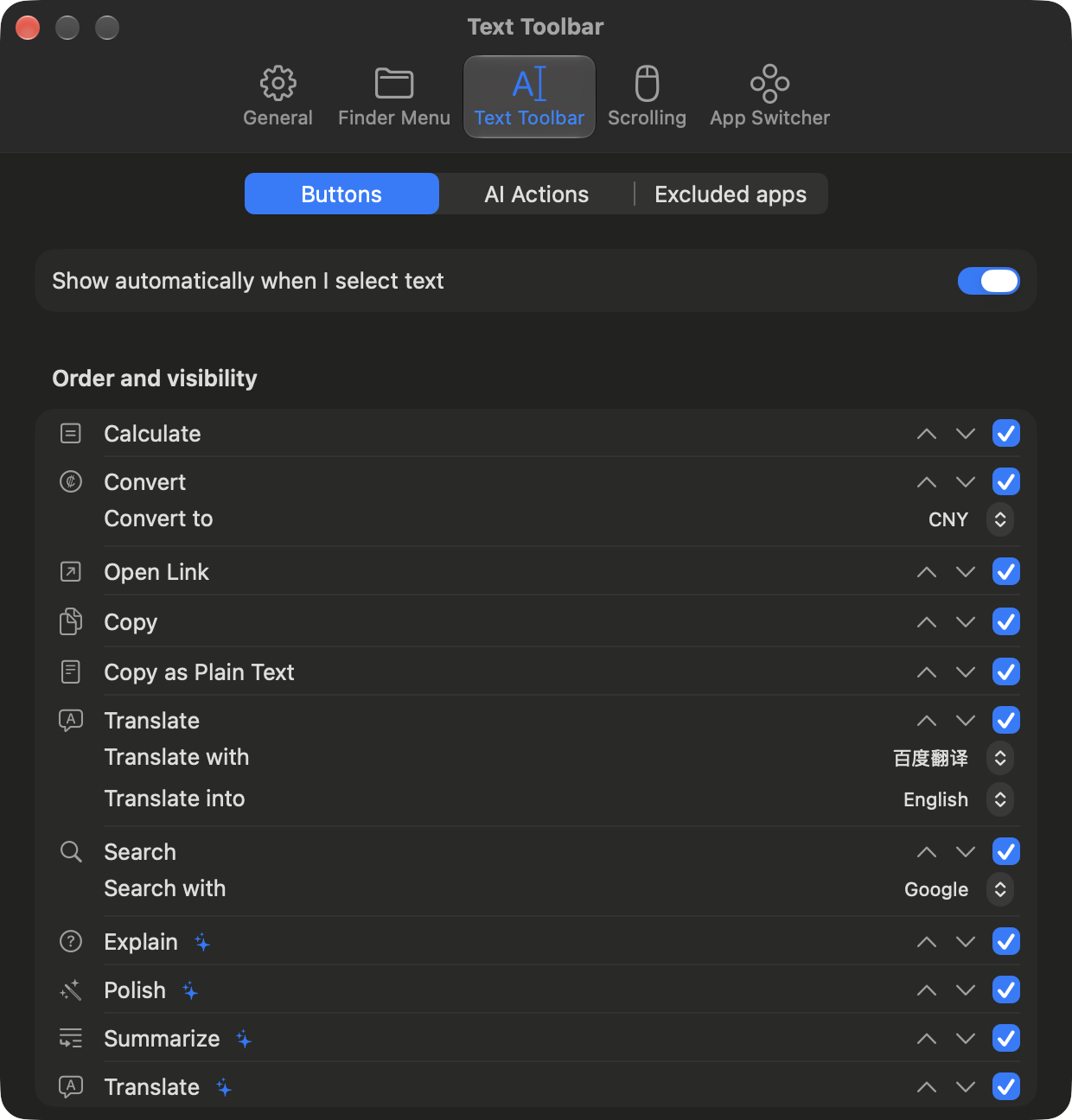
At Hand's selection toolbar settings

Want it to do something else? Ask

The menu isn’t a fixed list. Describe what you want in a sentence — “turn this into a bulleted list”, “convert these images to PNG” — and a model writes it while you watch, as a small plugin you can read. It then sits in the menu alongside everything else.

  • Plain EnglishNo prompt engineering, no shell. Say what you want, then fix whichever line came out wrong
  • Text or filesThe same action can run on text you’ve selected anywhere, or on files you right-clicked in the Finder
  • You read it firstIt appears as plain YAML as it’s written, and anything that touches a shell needs your approval
  • Yours to keepA generated action is just a file. Edit it, export it, send it to someone else
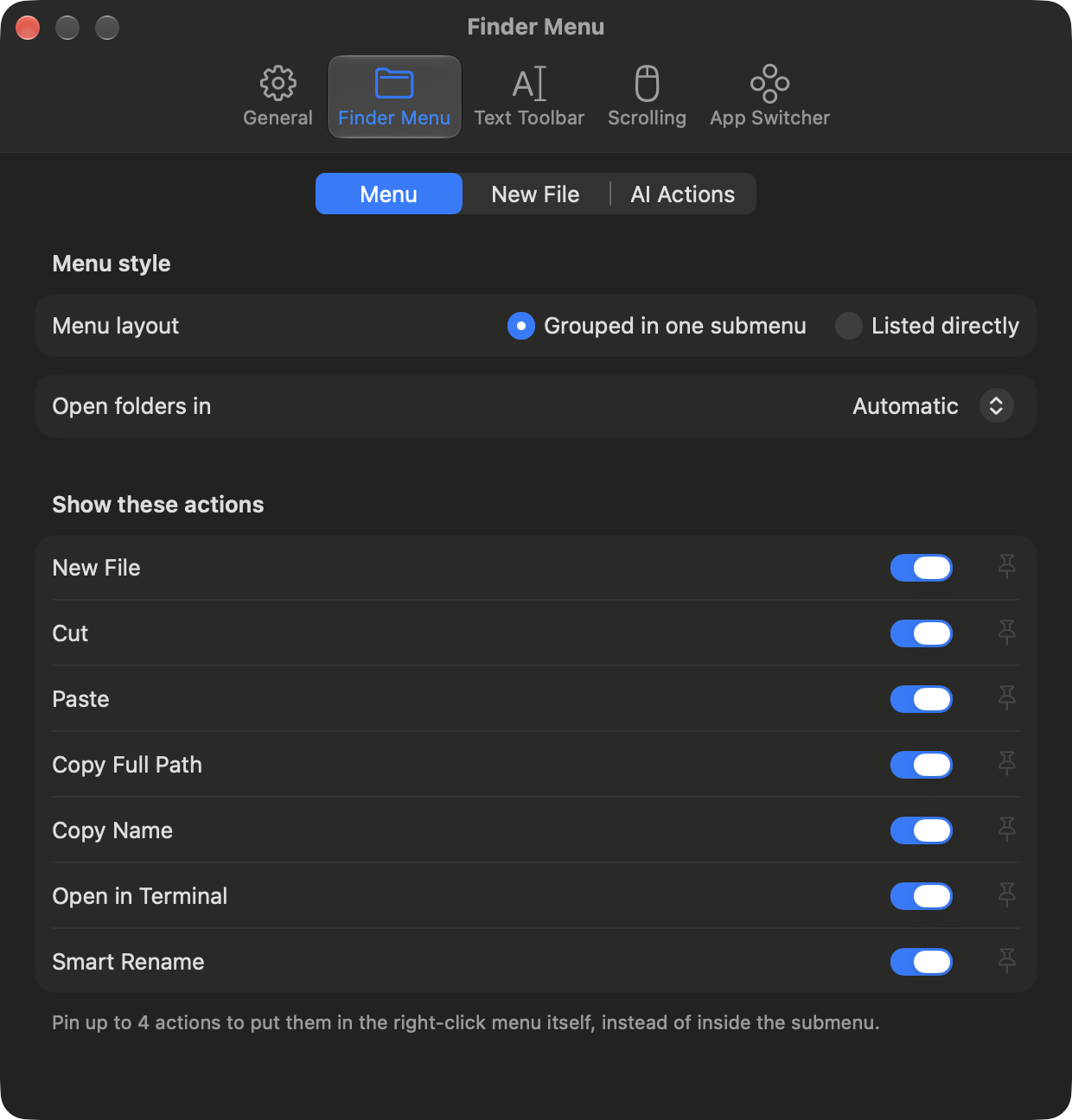
The right-click menu, with the basics back

A handful of everyday things are missing from the Finder's menu. At Hand adds them back with a Finder extension, so they show up where you were already looking for them.

  • New fileText, Markdown, Word, Excel, Keynote, or any document of your own saved as a template
  • Cut and pasteMoves the file for real, instead of copying it and deleting the original
  • Copy pathThe full path, or just the file name
  • Open in TerminalUses whichever terminal you have installed
At Hand's Finder menu settings

Select text, and it’s right there

Drag across some text and a row of icons appears next to it — copy, search, translate, and a few others. Hover over one and it tells you what it does, so you can work it out as you go.

  • Never takes focusYour cursor stays put, and so does the selection
  • Never over a password fieldNot something you can switch on, by design
  • Model actions, optionalRewrite, summarise or translate using your own API key
At Hand's selection toolbar settings

A mouse wheel that doesn’t jump

macOS treats one notch of the wheel as a whole line, which is why a mouse feels steppy on a Mac and fine on Windows. At Hand spreads each notch over a few frames instead. It only touches the mouse — your trackpad is left alone.

  • Each axis on its ownVertical and horizontal have separate speed and direction
  • Per applicationIf one app needs different behaviour, give it a full set of its own settings
  • Direction can be flippedmacOS has a single Natural Scrolling switch for both devices. This one changes the mouse only

Your apps, around the pointer

Hold the middle button and your apps appear in a ring where the pointer already is. Aim and let go. Nothing to learn beyond that, and a quick middle click still does whatever it did before — the ring only shows up if you hold.

  • Aim or turn the wheelPoint at the one you want, or spin the wheel through them and let go
  • Open apps, or all of themCome back to something already running, or start something that isn’t
  • Pin what you useApps you add keep their place, and the rest of the ring fills with whatever you’ve been using
  • Apps that need the buttonLeave out anything where holding the middle button already means something, like panning a canvas

Rename a folder full of files

Select the ones you can’t face naming, pick Smart Rename, and a model reads each file and proposes a name. You get a list of before and after, with every row a checkbox — nothing is renamed until you say so.

  • The extension is never touchedA model that renamed report.pdf to report.docx would break the file, so it cannot
  • Bad names are caught firstEmpty names, illegal characters, and two files given the same name are flagged and skipped
  • Undo in one clickChanged your mind after it ran? Put every name back

Try it for 60 days

Everything is unlocked for 60 days after you install it — no account, no email address. When the trial runs out, an activation code keeps it going. You only activate once, and it works offline after that.

Model actions run on your own API key. We don’t resell inference, and what you send never passes through us.

Download

Specifications

Requires
macOS 26 or later
Languages
English, 繁體中文, 简体中文
Permissions
Accessibility (selection and scrolling), Finder extension (right-click menu)
Models
Alibaba Cloud, OpenRouter, Ollama, or any OpenAI-compatible endpoint